Start with a supported billing source.
Keep reported costs, activity and access in view.
- Approval states, with unknown as the default
- 3
- Numbers, billed and metered, never added together
- 2
- Model providers under one policy set
- 6
- Days in the hosted trial, from workspace creation
- 30
- OpenAI
- Anthropic
- Google Gemini
- OpenRouter
- Amazon Bedrock
- Azure OpenAI
- Your own endpoint
Cloud setup offers OpenAI, Anthropic, xAI and Google. Use separate billing and inference credentials.
Three pillars. 15 capabilities behind them.
See the bill, itemised.
Track connected provider-account costs and the AI subscriptions and API accounts you register.
A billed charge and a metered estimate are two different measurements and are never added together, and no currency is converted.
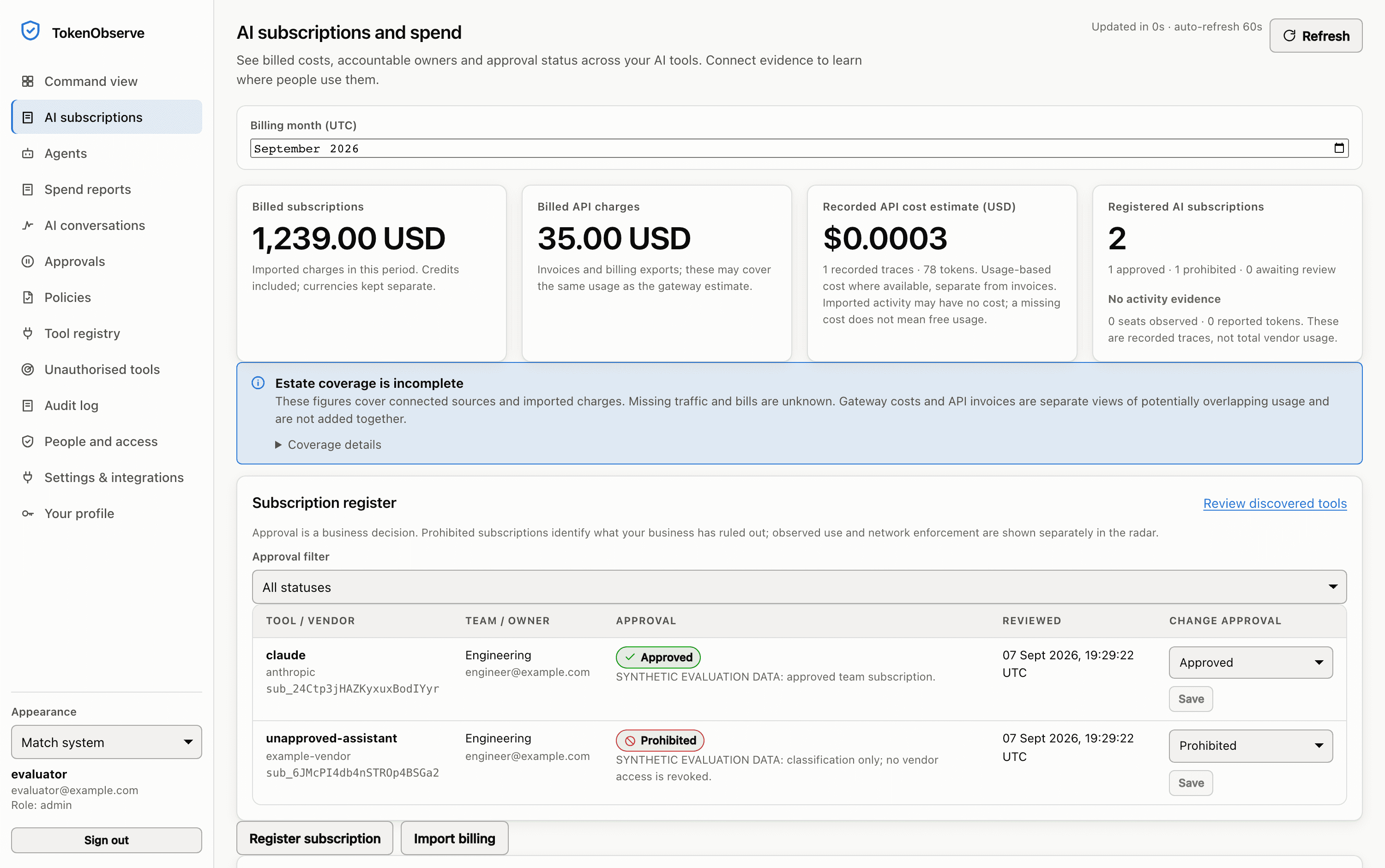
Sample data in the real Token Observe interface, recorded from a local evaluation with a temporary database, a mock provider and one request. No live provider key was used. The product stamps its own demo rows SYNTHETIC EVALUATION DATA in these pixels.
AI spend and subscriptions
What you were billed and what you were metered, recorded as two numbers and never added into one.
ExploreEndpoint seats
Policy enforced inside each vendor’s own administrator hook, decided offline against a signed bundle, because a hook that phones home fails open.
ExploreSpend controls
Hard USD ceilings, per-minute rate limits and a kill switch, all decided before the request leaves your network.
ExploreKeep a record of what it was asked to do.
Follow requests routed through your workspace. Bounded, redacted text capture is off by default.
The default capture mode stores no message text; prompts and replies are kept only once you switch it to redacted, and hidden chain of thought is not available from any provider.
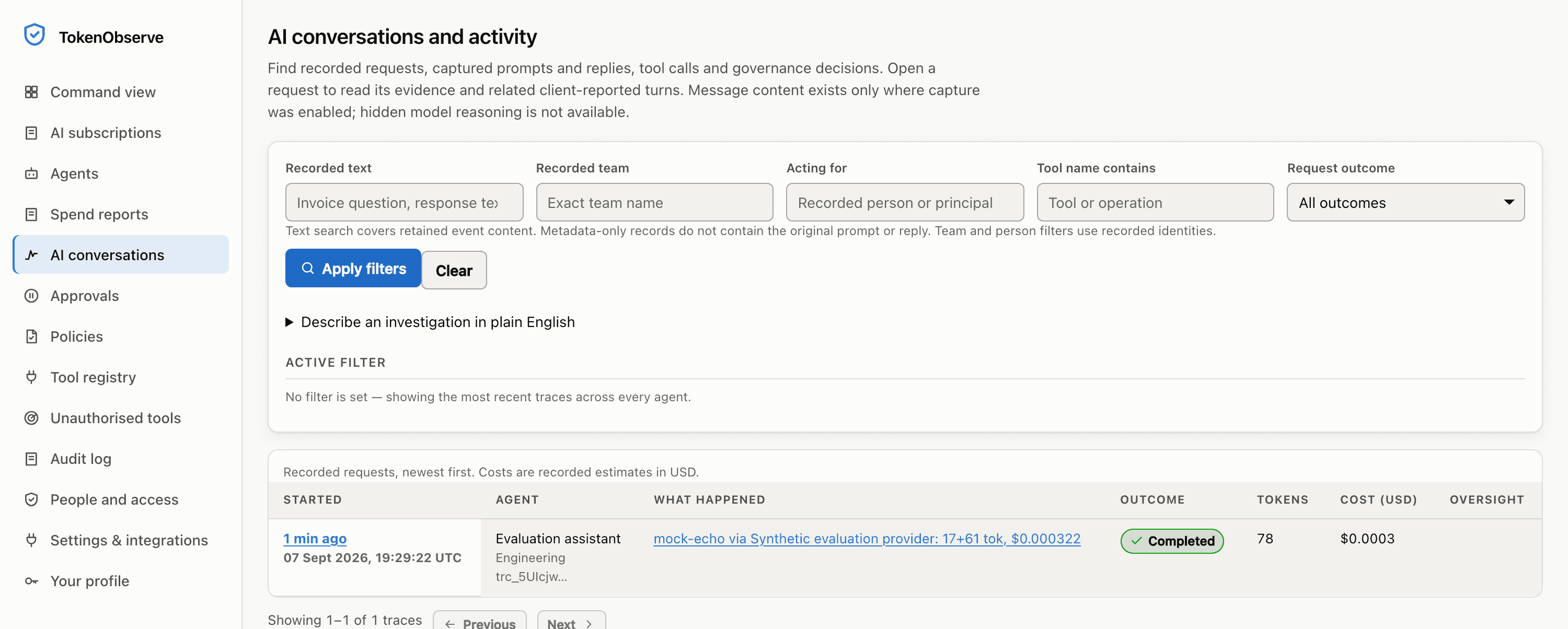
Sample data in the real Token Observe interface, recorded from a local evaluation with a temporary database, a mock provider and one request. No live provider key was used.
AI conversation evidence
What the AI was asked and what it returned, redacted before it is stored and bounded before it is kept.
ExploreFlight recorder
Every governed request in a timeline a compliance officer can read, and a search box that never writes SQL.
ExploreAudit chain
Every administrative act hash-chained, and anchored with a signature your auditor can check alone.
ExploreModel routing
Six upstreams behind one set of policies, and a fallback chain that will not launder a refusal.
ExploreSet the rules for the agents you connect.
Record tool approvals and govern permissions and budgets for agents you connect.
Three states (approved, prohibited or unknown, with unknown as the default), and coverage is reported on its own axis, so a source nobody has connected reads as unknown rather than as zero.
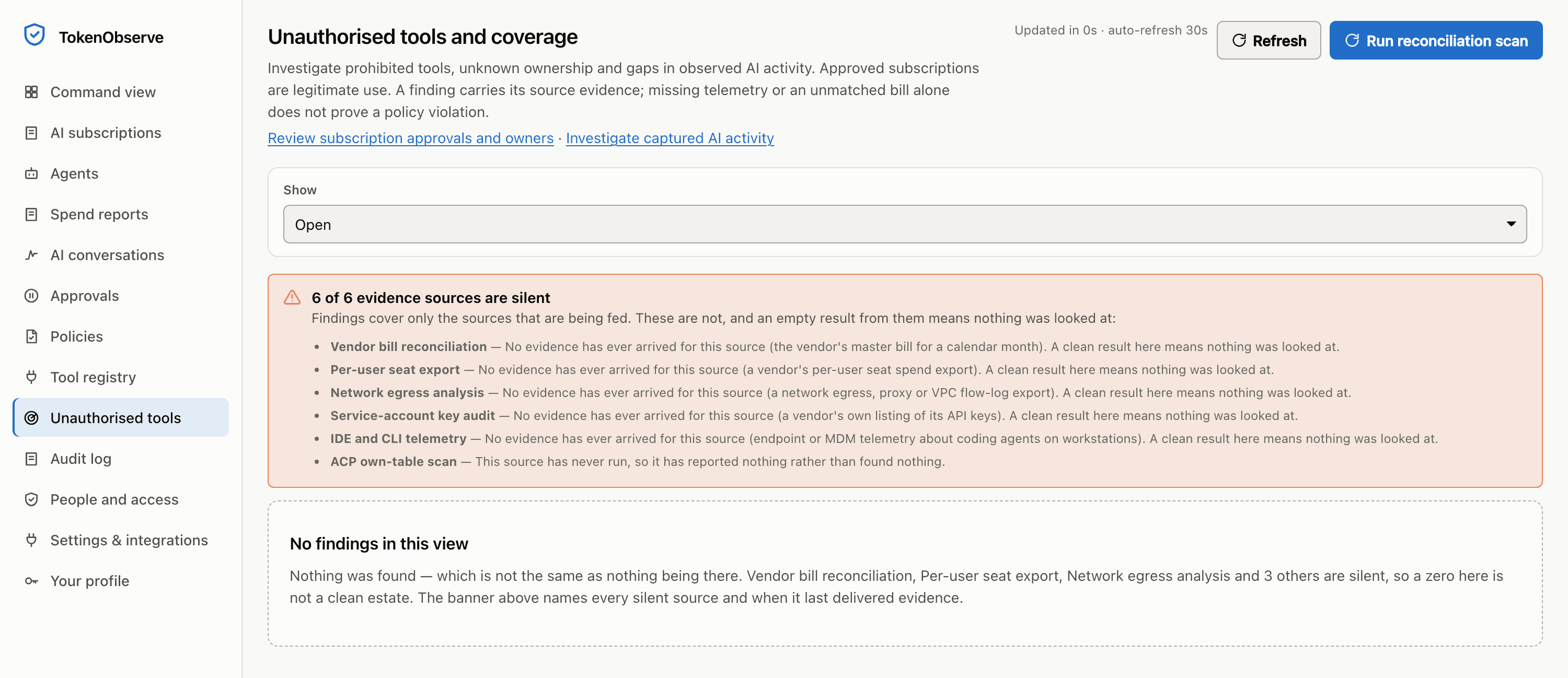
Sample data in the real Token Observe interface, recorded from a local evaluation with a temporary database, a mock provider and one request. No live provider key was used.
Approved and unauthorised AI
Approved, prohibited or unknown, so the subscriptions you already pay for stop arriving in the seat-spend report.
ExploreShadow AI radar
Five evidence sources for AI activity that never touched the gateway, and a coverage model that refuses to call a dead feed a clean estate.
ExploreAgent registry
One record per agent, and it is the record the gateway enforces against.
ExploreAgent permissions
Deny by default, explicit deny wins, and delegation intersects, so an agent cannot borrow authority it was never granted.
ExplorePolicy engine
One deterministic verdict on every governed request: allow, block, redact, or park it for a human.
ExploreHuman approvals
One human decision, bound to one exact payload, spendable once.
ExploreMCP gateway
The half of an agent that moves money is a tool call, not a sentence. This is the checkpoint that call goes through.
ExploreEffect contracts
The action leaves once, and success is what a second pinned tool observed.
ExploreCloud custody and optional customer-hosted controls are described separately. The 24 limits we publish, and the 9 risks a named person has to accept in writing, are on one page.
What we do not claimRegister an agent. Set its URL and key.
Assign permissions, issue an agent key, then configure your client with that key and your Token Observe URL. Check your SDK and request features against the supported dialects. Metered estimates, policies, budgets, approvals and conversation evidence cover routed traffic; the register and invoice import work independently.
Open the cloud portal, choose Create an account, confirm your email and sign in. Create a workspace to begin the 30-day evaluation.
- account
- Your work email and a password. Email confirmation is required.
- billing
- A supported organization billing credential; provider permissions and coverage vary.
- activity
- An optional separate inference key and supported client gateway configuration. Provider usage can incur charges.
- after 30 days
- Model traffic and changes stop. Authorized retained reads and exports remain subject to the shared traffic quota.
OPENAI_BASE_URL="https://tokenobserve-cloud-production.up.railway.app/w/YOUR_WORKSPACE_ID/v1"
OPENAI_API_KEY="<issued-agent-key>"

# Or use the Anthropic dialect:
ANTHROPIC_BASE_URL="https://tokenobserve-cloud-production.up.railway.app/w/YOUR_WORKSPACE_ID"
ANTHROPIC_API_KEY="<issued-agent-key>"
First register the agent, assign its permissions and budget, configure the upstream provider and issue an agent key. Then point the supported client at its cloud workspace endpoint using that key.
Replace YOUR_WORKSPACE_ID with your workspace ID. Customer-hosted deployments use their own hostname. A base-URL change alone does not create credentials or grant permissions. Check your SDK and version against the compatibility guide, then test one request before expanding the rollout.
The same policies, redaction, budgets and tracing apply identically whichever provider serves the request, and a test over every provider kind enforces that equivalence.
See the request pathBeside the systems you already have, never instead of them.
- A subscriptions spreadsheet, and the approval that happened in an email thread
- Both were right on the day they were written. This is that list with a schema (vendor, tool, team, owner, one of three states with unknown as the default) and an audit entry naming whoever changed each one.
- The finance export and the card statement
- They know the total, as a line per vendor. This records which team spent it, and what the metered API usage beside it came to, as a second number never added to the first.
- Each vendor's own admin console
- Provider reporting sources need the required administrative or reporting permissions. Existing invoice imports remain available in the workspace; the cloud portal does not yet have its own CSV-upload flow.
Which of these do you need?
Describe the provider you want to connect or what your agents do. The reply will say where to start, including when the answer is that you do not need a control plane yet.