Spend
Review the source behind each cost.
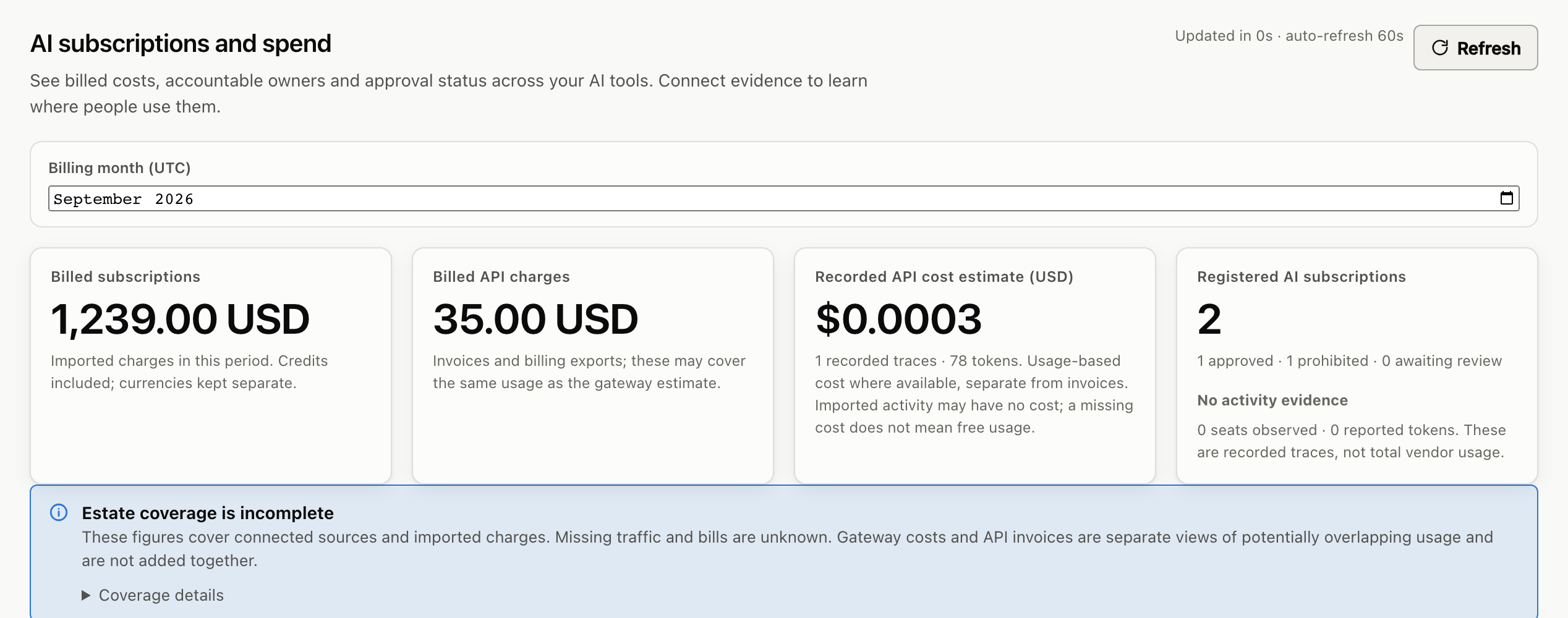
Connect a supported provider billing source. Keep reported costs by currency, with their periods and collection status. Gateway usage estimates stay separate.
Explore spendFor the head of IT who owns the AI bill
Cloud AI spend and agent governance for IT teams. Review supported provider costs, record subscriptions and set budgets for requests routed through Token Observe.
Synthetic sample · no account or keys
A provider reports spend against a project, but its owner is unknown. Open the source record and see what to check next.
Your cloud workspace
The cloud service hosts the gateway, configuration and evidence for your workspace. Requests use the separate provider inference keys you supply. Customer hosting remains available with its own operating requirements.
See the hosting modelWhat reaches it
OpenAI SDK · Anthropic SDK · Google Gemini clients · Claude Code · Claude Desktop · GitHub Copilot CLI (BYOK) · JetBrains AI Enterprise · Cline · Zed · Aider · Agent-to-agent callers
Text by default. Inline images need an image inspector you configure; audio, PDF, remote image URLs and file references are refused.
Check your SDK and versioncampaign-writer · suspended
not registered · not governed
Runtime model compatibility
Cloud setup offers OpenAI, Anthropic, xAI and Google. Use separate billing and inference credentials.
One place to look
The AI list shouldn’t depend on who last updated the spreadsheet.
Spend
Connect a supported provider billing source. Keep reported costs by currency, with their periods and collection status. Gateway usage estimates stay separate.
Explore spendActivity
Follow requests through policy checks and outcomes. Turn on bounded, redacted prompt and reply capture when you need the detail. Text capture is off by default.
Explore activityAccess
Record which AI tools are approved. Give agents permissions and budgets, then govern the requests you route through the gateway.
Explore accessGet started
Create a cloud account and workspace, then connect a supported billing source. Add agent activity when you are ready to configure a client.
Enter your email and a password of at least 12 characters. Confirm your email using its link, then sign in.
The hosted workspace starts your 30-day trial. No card and no local server to install.
OpenAI, Anthropic Claude, xAI Grok or Google Cloud Billing. Use the required reporting credential and check the source status.
Billing permissions may need setup at your provider. Model calls and Google BigQuery scans can incur provider charges.
Try the cloud pilot
Check cloud custody, security controls and pilot limits before you connect your systems.
Start with a billing source, then add routed agent activity when you need it.
Connect OpenAI organisation costs, Anthropic organisation cost reports, xAI team API usage or a configured Google Cloud Billing BigQuery export. Each needs its reporting credential and permissions. Coverage depends on the provider account and plan.
Each source keeps its currency, reporting period and collection status. Provider-reported costs, imported invoices and gateway estimates remain separate, so overlapping measurements are never added together. An unconnected or failed source remains unknown.
Configure a supported client to route requests through your workspace with a registered agent and a separate inference key. Capture starts with metadata; bounded, redacted prompt and reply capture is opt-in. Billing connections do not recover historical conversations.
Workspace changes, model calls and scheduled billing collection stop. Authorised retained reads and exports remain subject to the pilot’s shared traffic quota. There is no automatic paid conversion. Provider model calls, model-assisted search and Google BigQuery scans can incur separate charges during the trial.
Create a cloud account and workspace. No card or server installation. Model calls and Google BigQuery scans can incur separate provider charges.
Talk it through
Meet James Rooney, Token Observe’s founder, to choose a first evaluation. James built the product after a decade leading product and delivery in regulated organisations.
Loading the booking calendar…
No time that suits? Email hello@tokenobserve.com. Calendar not loading? Open it on cal.com.
The calendar loads Cal.com as you approach this section. Booking details go to Cal.com and James Rooney. Privacy notice.